Create foldable phone mockups with Duo Studio
Duo Studio is an open-source, browser-based tool for creating foldable phone mockups and folding animations from app screenshots. Upload inner and outer screen images, choose a device pose, and export a visual for your product launch. Browser simulation previews websites that permit iframe embedding. The editor processes screenshots locally and runs on static hosting.
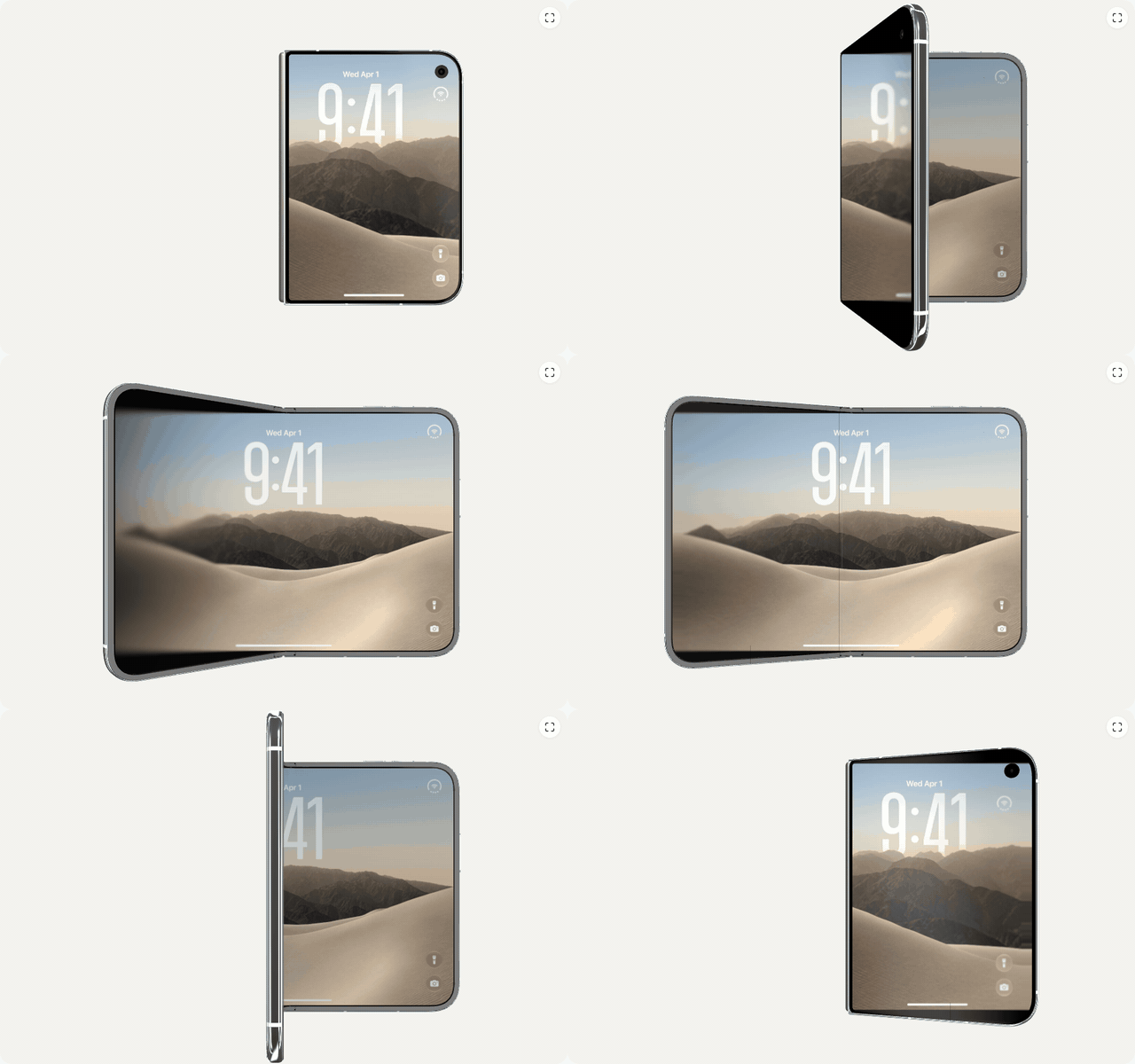
How do I make a mockup from screenshots?
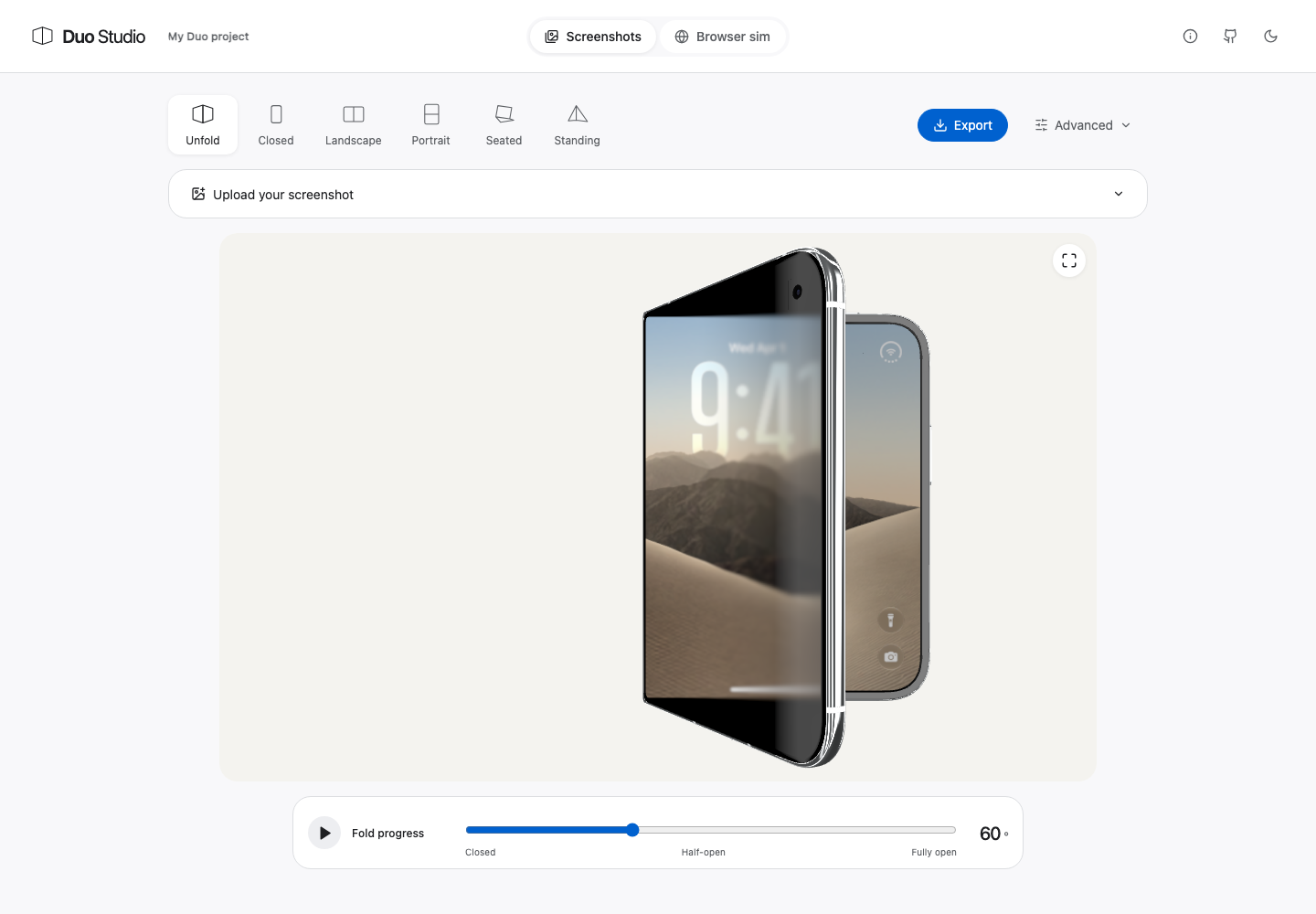
- Choose Screenshots in the top bar and expand Upload your screenshot.
- Upload the inner screen and, optionally, a separate outer screen. Without a separate outer image, the editor can derive the outer view from the inner image’s left side. Choose a fill mode to cover the screen when aspect ratios differ.
- Choose Unfold, Closed, Landscape, Portrait, Seated or Standing. Assign screenshots that match the orientation of each scene, then adjust the folding slider.
- Select Export, choose a format and size, then generate and download. Advanced opens additional framing and scene controls.
What screenshot sizes should I prepare?
Prepare one screenshot per pose you plan to export. Duo Studio renders the iPhone Duo inner screen at 2853 × 2007 pixels in landscape and 2007 × 2853 pixels in portrait — a 1.42:1 aspect ratio — and the outer screen at 1398 × 2034 pixels, or 2034 × 1398 pixels for the standing pose. These dimensions are the tool’s screenshot slot presets, not verified hardware specifications or App Store requirements. PNG, JPEG and WebP images up to 4096 pixels per side are accepted; when the aspect ratio differs, Fit keeps the whole image with bars while Fill crops it to cover.
| Screen | Used by pose | Recommended pixels | Aspect |
|---|---|---|---|
| Inner, landscape | Unfold, Landscape | 2853 × 2007 | 1.42:1 |
| Inner, portrait | Portrait, Seated | 2007 × 2853 | 1:1.42 |
| Outer, portrait | Closed | 1398 × 2034 | 1:1.45 |
| Outer, landscape | Standing | 2034 × 1398 | 1.45:1 |
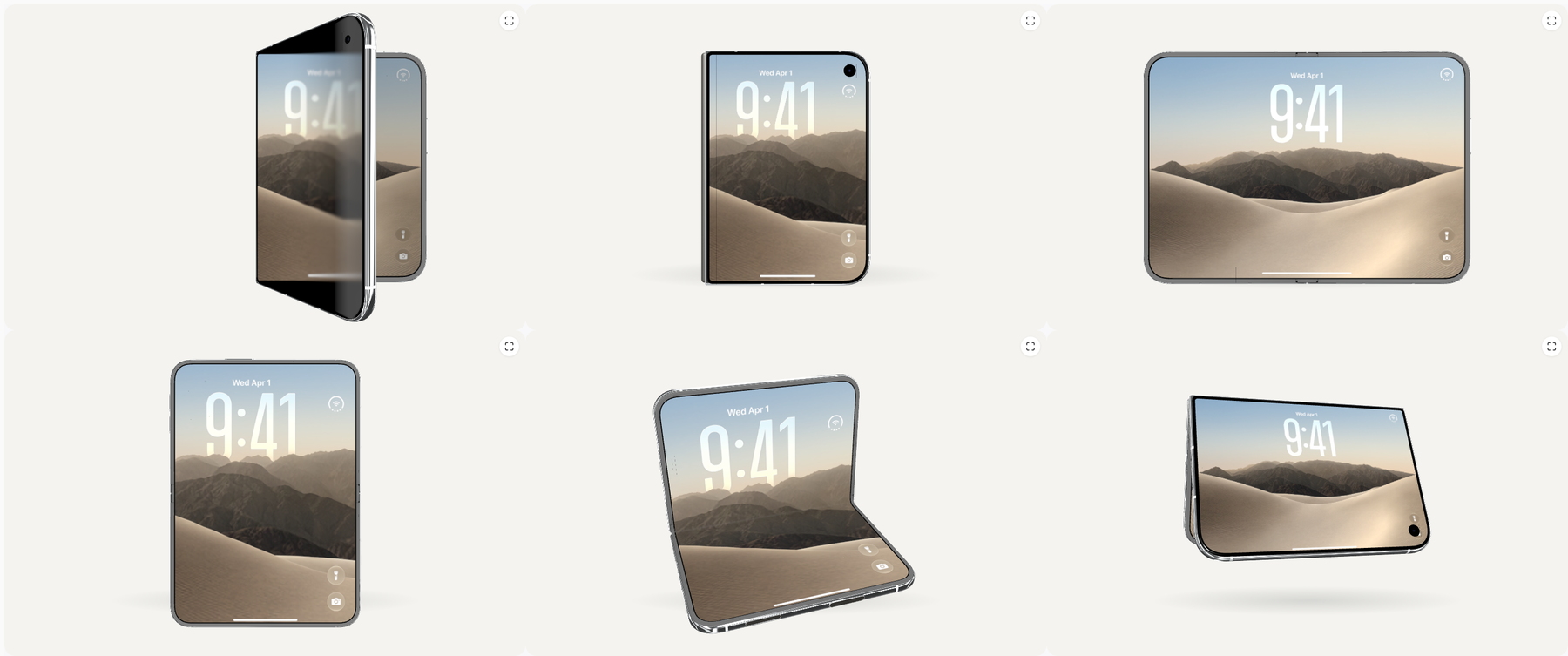
The complete slot, pose and export tables live on the screenshot sizes and export specs page.
Which mode should I use?
| Mode | Input | Useful for |
|---|---|---|
| Screenshots | Inner and outer screen images | Launch graphics, device mockups and folding animations |
| Browser simulation | An embeddable website URL | Exploring responsive page layouts and live interactions across poses |
Can I preview any website?
No. The target website must allow iframe embedding. Sites using restrictive Content-Security-Policy frame-ancestors or X-Frame-Options headers may refuse to load. Duo Studio cannot bypass those restrictions. Browser mode loads content directly from the target site; it is not a screenshot upload.
Live webpage exports require permission to capture the current tab in a supported browser. Preview viewport dimensions and exported image pixels are separate settings; check the selected scene and output size before exporting.
What can I export?
Exports are generated locally in the following formats:
| Format | What you get | Resolution and frame rate | Notes |
|---|---|---|---|
| PNG still | Framed mockup at the selected output size | Scene-native up to 2853 × 2007, Wide 1600 × 1000, Tall 1080 × 1350 or Square 1200 × 1200 | Transparent background optional |
| MP4 animation | H.264 folding animation | 30 fps, longest side up to 1280 px | Needs browser H.264 encoding |
| WebM animation | VP9 folding animation | 30 fps, longest side up to 1280 px | Needs browser VP9 encoding |
| GIF loop | Looping folding animation | 12 fps, longest side up to 640 px | 128-colour palette |
| Scene bundle ZIP | One PNG per screen slot plus a manifest | Native slot dimensions, e.g. 2853 × 2007 | Builds a complete screenshot set |
| Raw UI PNG | An uploaded screen image, unframed | Must match the slot size exactly, e.g. 1398 × 2034 | Confirms exact-size sources |
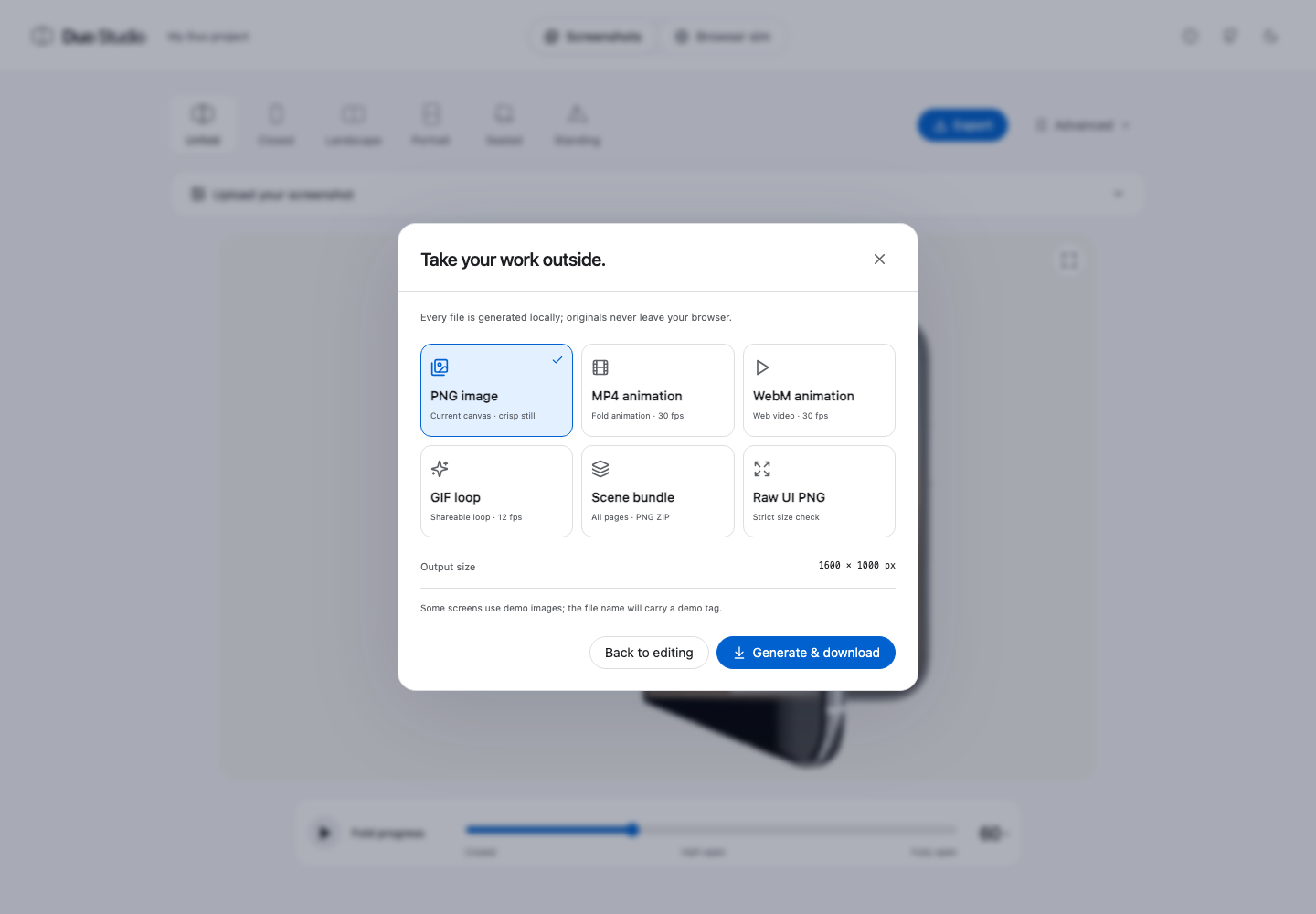
Animations run 2–10 seconds with optional holds at each end. Video encoder support depends on your browser.
Do screenshots leave my device?
Duo Studio processes uploaded screenshots and exports locally. Projects can be saved as .duo.json files and are autosaved in the browser. A saved project can contain your original images, so share project files only when you intend to share those assets. Browser mode makes requests to the website you open, which has its own privacy practices.
Is this an iPhone Duo emulator or an Apple tool?
Duo Studio provides iPhone Duo-style visual mockups using device assets attributed in the project. It does not run iOS or your native app and is not an Apple product. Mockups do not prove real-device compatibility, app adaptation, or App Store acceptance. Use actual device testing and current submission requirements for those decisions.
Who maintains the project?
The implementation, license, asset attribution and issue tracker are available in the iPhoneDuoMock source repository. The example screenshots show EchoPod; replace them with your own app. Report a problem or suggest a feature.